
Phantom Blade Zero Radeon artifacts: how to fix broken hair and sky glitches
AMD lists hair and sky corruption in Phantom Blade Zero as a known issue on Radeon RX 9000 cards. This is the setting that fixes the hair.

Quick answer
Open System, then Graphics, and set High-Quality Hair to Off. AMD recommends this itself for the spiky, smeared hair that appears on Radeon RX 9000 cards. The pale checkerboard squares across the sky are a separate bug, and AMD lists it with no setting that fixes it.
Radeon RX 9000 owners are running into two glitches in Phantom Blade Zero. Hair breaks into long spikes and the sky fills with white checkerboard squares. Both appear in cutscenes, and the squares are most obvious during the chase scene. AMD lists both as known issues in the release notes for Adrenalin 26.10.2.
Fix the hair
Set High-Quality Hair to Off under System, then Graphics. The game falls back to card hair, which looks flatter in close-ups and removes the corruption. AMD gives the same advice in its release notes. Turning it off also frees up frame rate, since strand hair is heavy to draw.
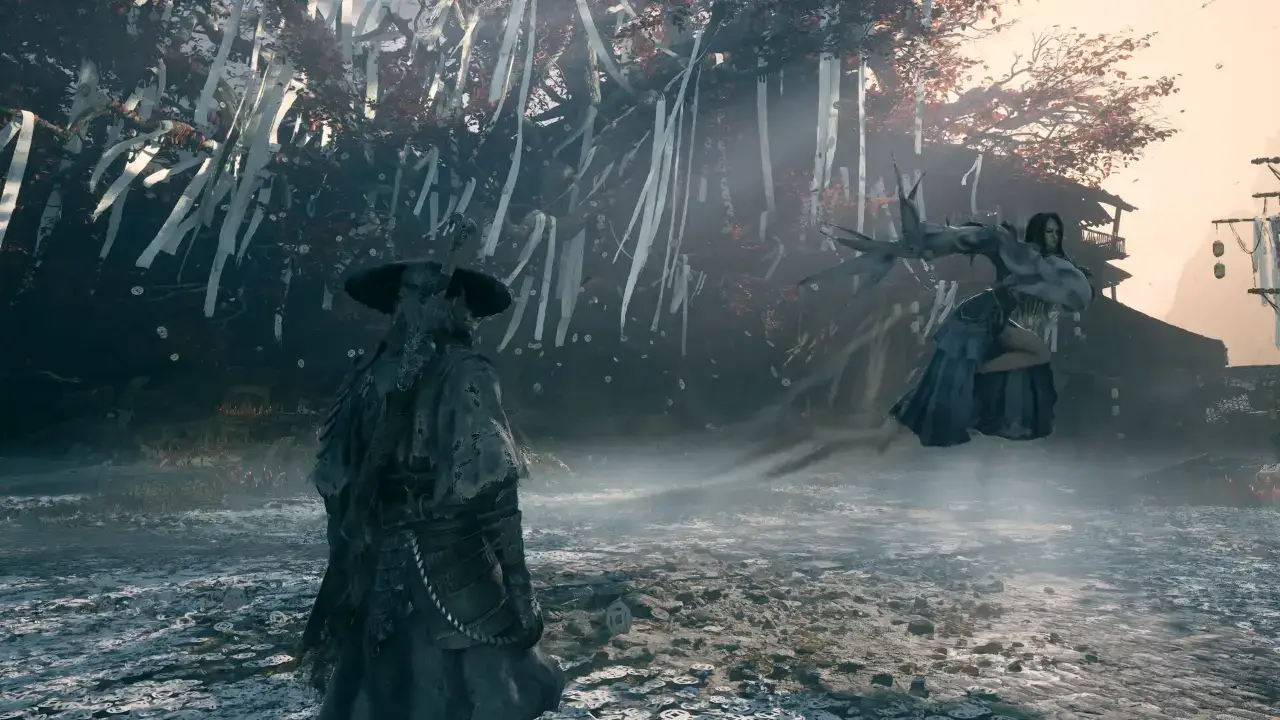
The sky checkerboard
AMD gives a workaround for the hair and none for the sky, so the squares stay until a driver or a game patch deals with them. The 9060 XT, the 9070 and the 9070 XT all show them.
Driver
Install the latest Adrenalin before testing anything else. S-GAME’s advice for Radeon cards is the newest driver, and a version from months before launch has no business running a new game. Updating alone does not clear the hair or sky bugs, because the current release still lists them.
Other Radeon settings
- Upscaler. Use FSR Upscaling on Quality and drop to Balanced only if you need more frames.
- Soft image. A blurry picture usually means Super Resolution Output Scale sits below native. Set it to 100 percent.
- Frame generation. FSR Frame Generation is available on Radeon. Switch Motion Blur off when you use it to avoid smeared trails.
- HDR grayed out. Switch off 10-bit Pixel Format inside Radeon’s Adrenalin app, then relaunch. Your monitor’s color depth is a different setting.
Path tracing is a GeForce RTX feature because it needs DLSS Ray Reconstruction, so there is nothing to enable on a Radeon card. Every other option is covered in the graphics settings list, and launch problems like crashes and long shader waits have their own page. Once the picture looks right, the tips for beginners get you through the first fights.
Did this guide help?
Something wrong or out of date? Tell us
Guide by
George
George grew up on Dark Souls and Call of Duty, and he still has strong opinions about both. He also plays Arma, where he walks a very long way to get shot by someone he never saw. He says it’s part of the experience.
Up next in Phantom Blade Zero
Popular right now
-
GuidesMidgame
-
GuidesEarly game
-
GuidesMidgame
-
GuidesMidgame

Squad chat
Be the first