
Planet Zoo 2 beginner’s guide: what to do in your first hour and what to leave alone
A Planet Zoo 2 beginner's guide with the first hour in order, staff costs, habitat basics, money and guest needs, and the mistakes that cost the most.

Quick answer
Play the first two Career scenarios, then build your staff area (Trade Centre, Keeper Hut, Staff Room) before you adopt anything. Start with one cheap animal, build its habitat to match the Zoopedia card, and put a donation bin and an education board at the spot guests gather to look. Leave aquariums, aviaries, reserves and Franchise trading until the first zoo pays for itself.
Everything here is as of 22 October 2026, after Update 1.0.5. Frontier lists Franchise stability as a top priority, so if something online acts up, it may not be you.
Planet Zoo 2 doesn’t hold your hand for long. You get a map, a budget and a very long list of buildings, and the order you place them in matters more than any single one. Get it wrong and you end up with a lovely habitat, an animal stuck in the Trade Centre and no money left to fix either. This Planet Zoo 2 beginner’s guide is the order that works, the numbers behind it and a ranked list of the mistakes that cost the most. (If you only read one section, I’d make it the first hour.)
Pick a mode first
There are three ways to play, and they start you in very different places.
| Mode | What you start with | The catch | Best for |
|---|---|---|---|
| Career | A set scenario. East Africa gives you $20,000 and a zoo that already has animals | Early scenarios steer you through objectives in order | Learning the systems |
| Franchise | $45,000 and 300 Conservation Credits for a new zoo | It needs an internet connection, and Frontier has apologised for its stability problems | Long-term play and animal trading |
| Sandbox | Whatever the preset gives you (Default has every feature on with no costs) | Research is off, so there is no progression | Testing builds and layouts |
My pick is Career first, even if you played the original. It opens in the Great Rift Valley reserve, where you drive a research vehicle and take photos before you build a thing, then moves to East Africa, a small working zoo to learn on. Habitats you like in Career can be kept as blueprints for your own zoos. It teaches things one at a time, which I’d take over a blank map any day.
Franchise is where you’ll end up (your zoos and reserves are linked through the Planet Hub, with shared research and animal storage), but I’d wait until you know what you’re doing. Sandbox is the place to try a tricky build. Research is off there, so every Thriving requirement is visible straight away. One catch is that a Challenge Sandbox zoo doesn’t count towards Franchise accreditation, so don’t start your real zoo there.
Pick the difficulty before you start, because Franchise and Sandbox zoos begin on Medium and Career asks you for each level. The differences are bigger than the names suggest. On Easy, guests learn from education 1.75 times as fast and staff tire more slowly. On Hard, guests ask for refunds, animals get bored of enrichment, and a 5-star guest happiness rating needs 90% instead of 85%. Switching can affect achievements, because a zoo remembers the lowest difficulty it’s been played on.
Your first hour, in the order that works
Each step fails if the one before it is missing, which is why the order matters more than the buildings. It isn’t glamorous, but it’s what keeps you solvent.
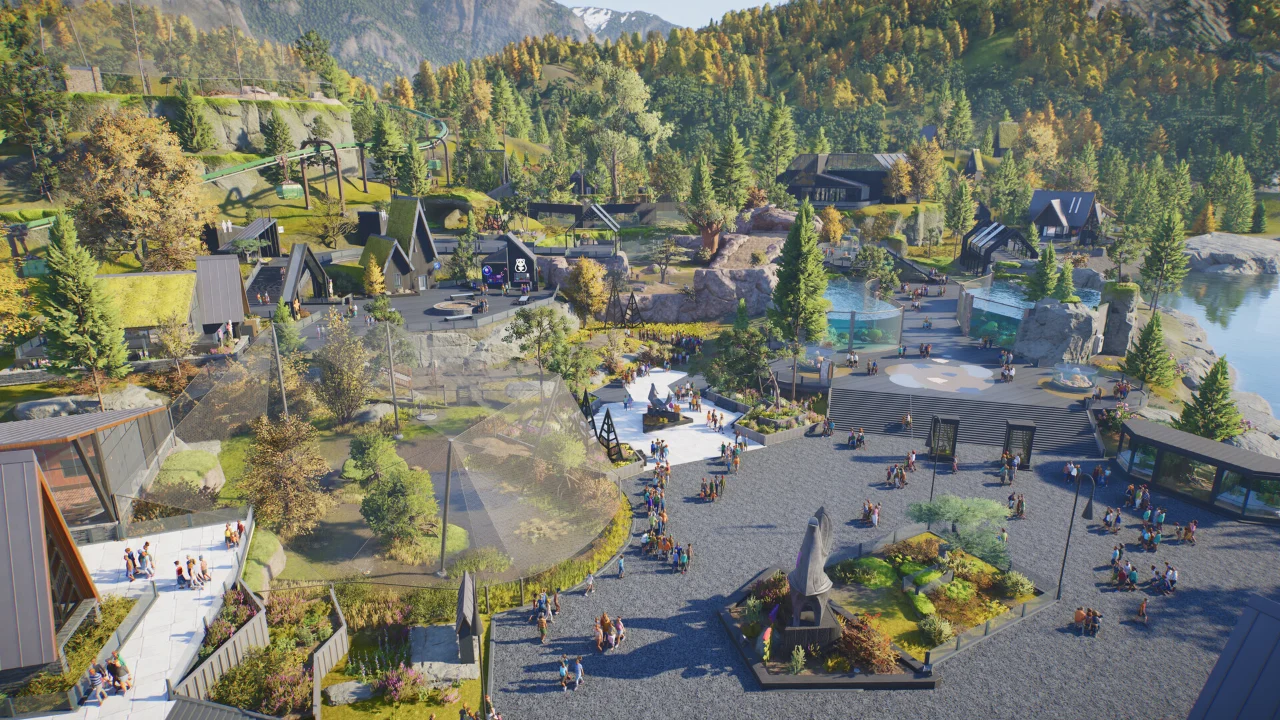
- Choose flat ground near the entrance. Steep ground makes your first staff area and habitat gate hard to connect, and you can save the dramatic map for zoo number two.
- Lay one main path from the entrance and keep your first buildings close to it. The entrance gives you a small patch of power to start with (the first game did the same, and early guides report it here too), so test that before you pay for a generator.
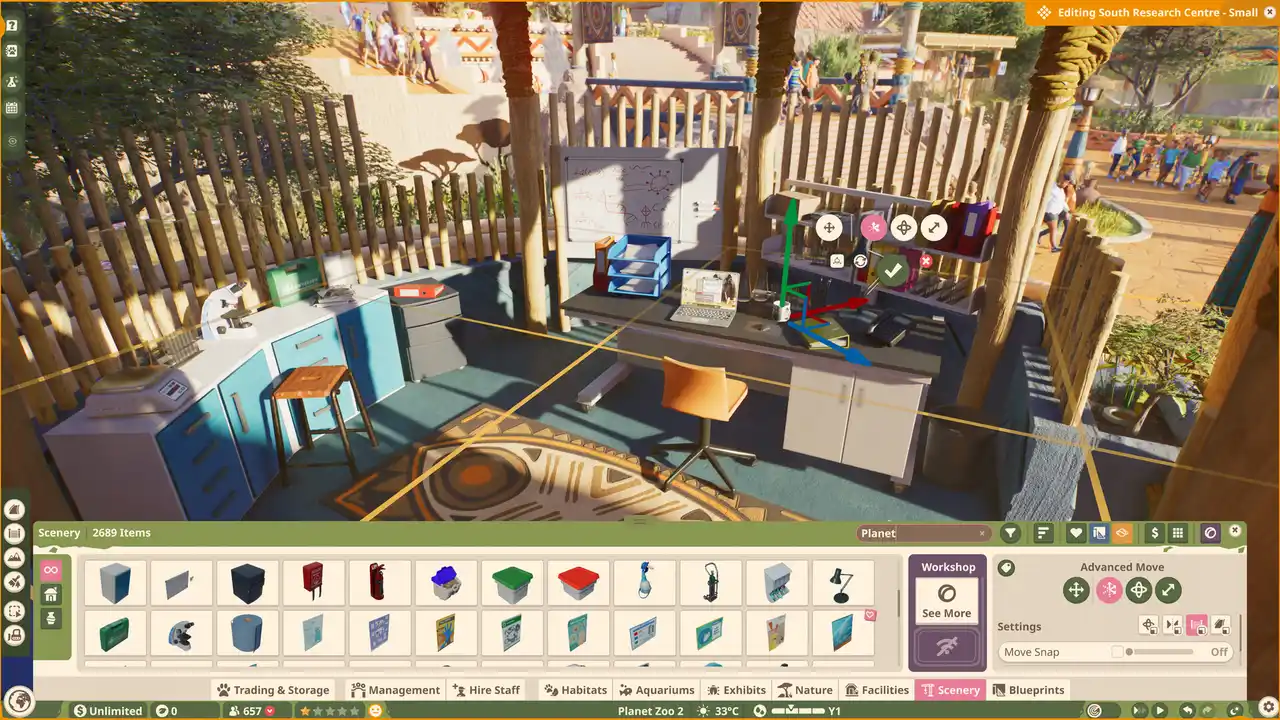
- Build the staff area: an Animal Trade Centre (where adopted animals arrive), a Small Keeper Hut ($1,000, and it needs power and a path) and a Staff Room. A Vet Surgery, Quarantine and Research Centre can follow, but keep some cash back for them.
- Hire a Caretaker and a Keeper. A Caretaker or a Vet carries each new animal from the Trade Centre, and a Caretaker costs about a fifth of a Keeper, so that’s your cheap first hire.
- Read the Zoopedia card for your first animal, then build the habitat: one closed barrier, a staff gate joined to a path, shelter, food, water and some enrichment.
- Adopt the animal. If it won’t leave the Trade Centre, I’d look for a path that seems connected but isn’t (the warning says “No Path to Destination”).
- Put a donation bin and an education board at the spot guests gather to look, and check the bin really starts collecting.
- Check your ticket price, add a toilet, a drink outlet and a bench, then let a few days pass and read the Finance panel before you build habitat number two.
Staff, in plain numbers
Wages are where a new zoo quietly bleeds, and honestly it’s the part people skip. This is the bottom of the scale, the trainee salary range on Medium.
| Role | Trainee salary | What they do |
|---|---|---|
| Keeper | $2,700 to $3,300 | Prepares food at the Keeper Hut and feeds the animals |
| Vet | $2,700 to $3,300 | Treats sick animals and does the research |
| Educator | $2,700 to $3,300 | Gives animal talks |
| Mechanic | $1,215 to $1,485 | Services barriers and repairs what guests break |
| Caretaker | $540 to $660 | Cleans toilets and carries animals from the Trade Centre |
| Vendor | $540 to $660 | Runs your shops |
So a Keeper costs the same as five Caretakers, and a Mechanic about two. Hire for the job that’s actually waiting rather than the one that sounds sensible, and I’d resist the urge to staff for the zoo you plan to have. For most first zoos that means a Keeper and a Caretaker, a Vet once you want research or something falls ill, and a Mechanic once barriers start to wear. Replacing someone who quits costs a year of their pay, so keep a Staff Room in reach. It’s where staff rest, and where their training kicks in.
Work zones are the other half. A work zone is a list of facilities, and staff only leave it for something the zone doesn’t have, so give each Keeper the habitats and the Keeper Hut beside them and they’ll stop crossing the zoo. When an animal’s feeder is empty, check the path to the hut before you hire anyone. A second Keeper costs wages every month, and a broken path costs nothing to fix.
Building the first habitat
The Zoopedia card is the whole recipe, so read it before you place a wall. These are the lines I’d check every time.
- Space, which is a minimum plus extra for each additional animal
- The terrain mix, plants and water
- The temperature range
- Shelter, group size and enrichment
- The barrier grade, and whether the animal climbs
- Periodic Food Expenses, the running feed bill
Barriers come in grades from 1 to 6, and climbers need one they can’t climb, so a cheap fence is how animals escape. For water, a trough is the cheap, safe option, while a pond also needs a pump and a filtration network. Don’t forget the temperature either. An animal that wants 18 to 33°C in a zoo sitting at 13°C will struggle, and a heater only helps if it has power.
I’d build for the group you actually have plus room for one litter, instead of doubling everything just in case. Early cash is the scarcest thing you own, and you can always enlarge a habitat later.
Once the animal is in, click it and read its welfare panel. It splits the needs into food and water, social, environment and enrichment, and it tells you what’s missing instead of leaving you to guess.
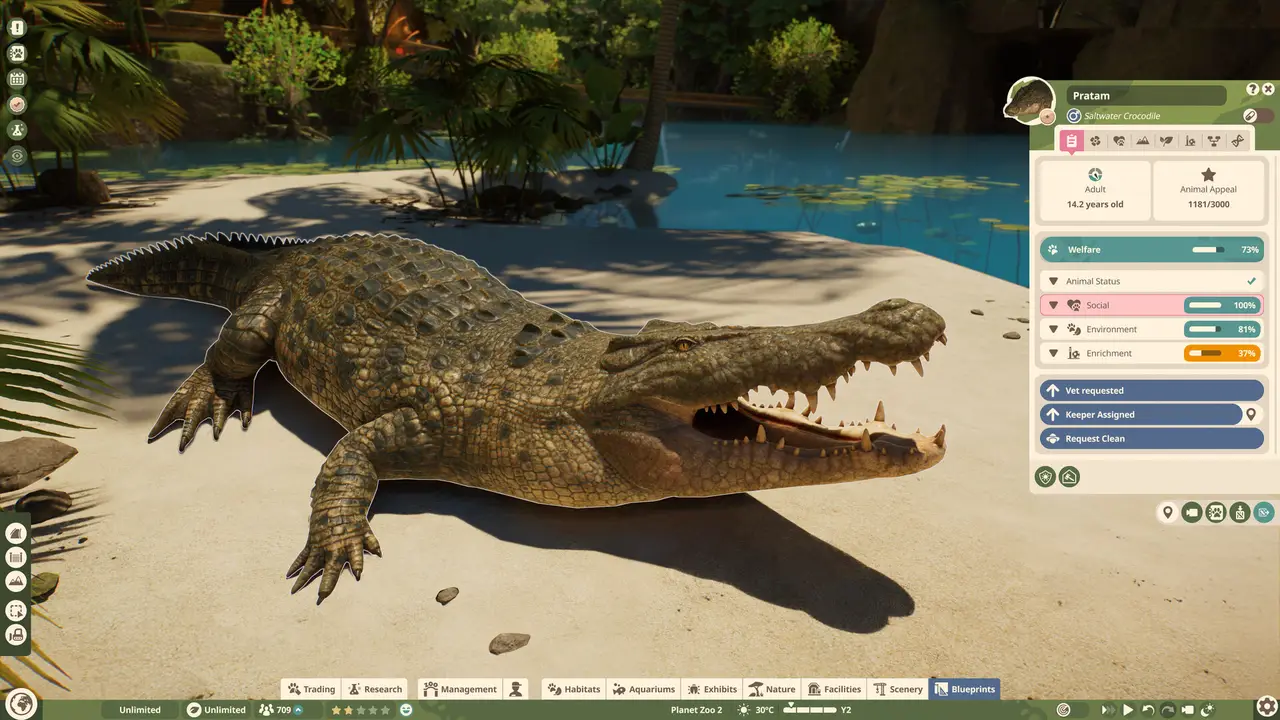
Thriving is a separate status on top of welfare. Its requirements only show once you’ve researched the species, and that research carries across your zoos in Career and Franchise. It’s worth chasing, because Thriving animals count towards your zoo’s Animal Husbandry rating (one of the four parts of Zoo Reputation, covered in the accreditation guide).
Guests and money
Guests have four needs: hunger, thirst, toilet and energy. Low values pull their happiness down fast, and so do litter, vandalism and overcharging. Benches restore energy. A Toilet Block is $2,000 and needs a Caretaker to keep it clean. Vending machines are cheaper than shops, though they satisfy guests less and need a Mechanic. Each guest arrives with a set amount of cash, so an ATM ($250) keeps them spending.
Donations are the quiet earner. A bin just needs a path (it didn’t need power in the first game), and guests donate to an animal they’ve just watched, so it belongs at the viewing spot rather than along an empty stretch of path. An education board next to it helps, because guests give more after learning something. The money guide has the rest, including what to do when the cash runs out.
Check your ticket price, too. One early Franchise zoo opened with guests walking in for free, and ticket income sat at zero until someone looked (it’s an easy one to miss). Open the management panel, set a price, then read the guest thoughts as they arrive and nudge it up in small steps. If cash is too tight to build the basics at all, a loan can bridge the gap, but the repayments then become an expense that competes with wages and feed.
Leave these for later
These are all good things, and they’ll still be there when the first zoo can afford them.
- Big carnivores and elephants. Their food bills can sink a young zoo, and the Zoopedia shows the cost before you adopt.
- Aquariums. They need a gate, a powered filter and the right salinity and temperature, and the aquarium guide walks you through it.
- Aviaries. The roof is its own build, with supports and enough flying room.
- Wildlife Reserves. Career introduces them early, and in Franchise they cost Conservation Credits.
- Accreditation. It decides which animals you can buy in Franchise, so it’s worth knowing about, but you don’t need to chase it in hour one.
The mistakes that cost the most, ranked
None of these is fatal, and you’ll probably make at least one, so it’s worth knowing which ones hurt most. I’ve put them in order of how much trouble they cause.
- Adopting a big animal first. This is the one that ends zoos, because the food bills arrive before the guests do.
- Forgetting the path to the gate. Animals sit in the Trade Centre, feeders stay empty, and you hire more staff to fix a path.
- Building before reading the Zoopedia. You find the missing water or the wrong barrier after the animal is already in.
- Spending your last cash on buildings. A sick animal then forces you to build a Quarantine with nothing left to pay for it.
- Not charging properly. Check admission, and read the guest thoughts.
- Leaving out the donation bin and the board. A habitat without them is missing its main earner.
- Hiring ahead of need. Every extra person is a wage, and a Keeper is worth five Caretakers on the payroll.
- Putting your star animal on the main route. A big draw clogs the walkway for everyone, so push headline animals out towards the edges.
Small things that save time
Here’s a handful of small things that save a surprising amount of time.
- The Essentials filter in the item browser narrows it to things with a job, like facilities, donation bins and shop blueprints.
- The Workshop is in the game itself, so community habitats and scenery are a few clicks away while you learn the build tools.
- Edge scrolling is an option now. It arrived with Update 1.0.5.
- If your computer runs hot, there’s no frame limit in the settings. The overheating guide covers what helps.
If you start in Franchise
A new Franchise zoo starts with $45,000 and 300 Conservation Credits (CC). CC are the second currency. Most animals on the market cost them rather than cash, they’re shared across your zoos, and they also pay for founding new zoos and Wildlife Reserve permits. So start by looking at animals priced in cash.
Animals in Animal Storage don’t age, so you can grab a bargain and hold it until you have the room. Exhibit animals (the small display ones) breed easily, and their young are adults straight away. Use contraception when a habitat starts to fill. Franchise also locks most of the roster behind accreditation. You begin with 32 of the 136 species, and the accreditation guide shows what each tier opens.
Quick answers
Do I need an internet connection?
Franchise does, which is one more reason to start in Career.
What is the best first animal?
Meerkats, Wild Boar and Warthogs are the easiest to house, and the starter animals guide has the numbers.
Why won’t my animal leave the Trade Centre?
Almost always the path. The Trade Centre needs a route to the habitat’s staff gate, and a Caretaker or Vet has to be free to carry the animal. Check the gate first, then the path, then give the game a minute to recalculate.
Does difficulty matter for achievements?
It can. A zoo keeps track of every difficulty it has been played on, and the completion screen shows the lowest, so decide before you start.
That’s the lot. From here, the breeding guide covers the animals that give you spare babies quickest, and the achievements guide has the rest of the checklist. (Every species’ needs are in the habitat requirements table.)
Something wrong or out of date? Tell us
Guide by
Sunny
Sunny’s favourite game is Stardew Valley, and she has told herself “one more day” about four thousand times. The rest of her time goes on dying in a basement in The Binding of Isaac and planning her whole week around who she’s hanging out with in Persona.
Up next in Planet Zoo 2
Keep playing
-
GuidesMidgame
-
GuidesMidgame
-
GuidesMidgame
-
GuidesEarly game

Squad chat
Be the first